
Live demo · resets every 3 hours
Every plan, task and photo, in unison.
Site Unison keeps the office and the field on the same page. Explore a real-looking job, Riverside Medical Clinic, with drawings, punch lists, site photos, specifications, RFIs, change orders, a budget and a BIM model.
Watch the 2-minute video- No sign-up needed
- No emails sent
- Switch Free, Pro & Elite any time
See it in two minutes
Every project. One team. In sync.
A quick look at plans, tasks, photos, daily reports, BIM, RFIs and the budget, all in Site Unison.
Step into the job
Pick who you want to be
Each person sees the project the way their role would. Use the bar at the bottom of the app to switch roles or plans.
A quick tour
Built for the trailer and the tailgate
Everything below is live in the demo. Each “Open it” link signs you in as the owner and takes you straight there.
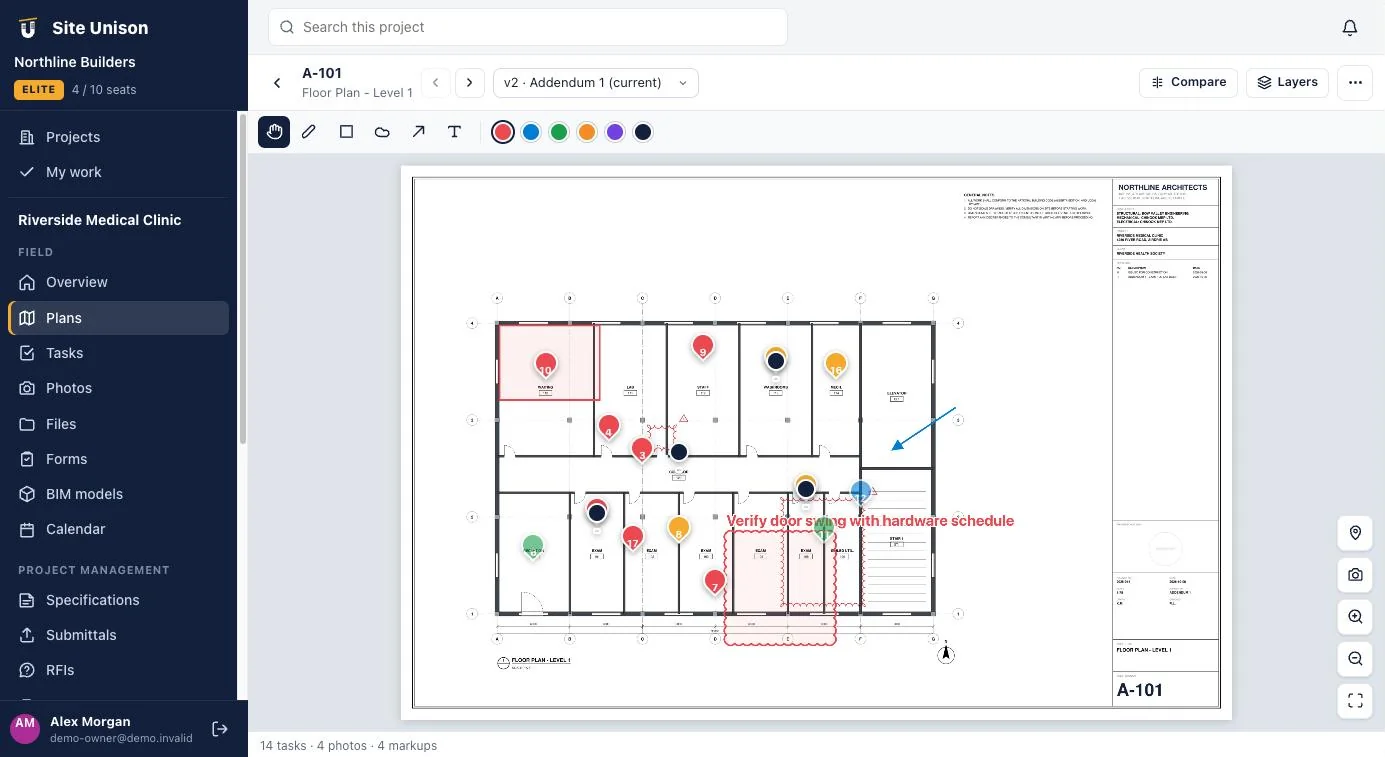
Drawings that stay current
Upload a drawing set and every sheet is split, numbered and titled for you. Pin tasks and photos to the exact spot, mark up with clouds and arrows, and compare Addendum 1 against the original.
- Auto sheet numbers and titles
- Pins for tasks and photos
- Markups and version compare
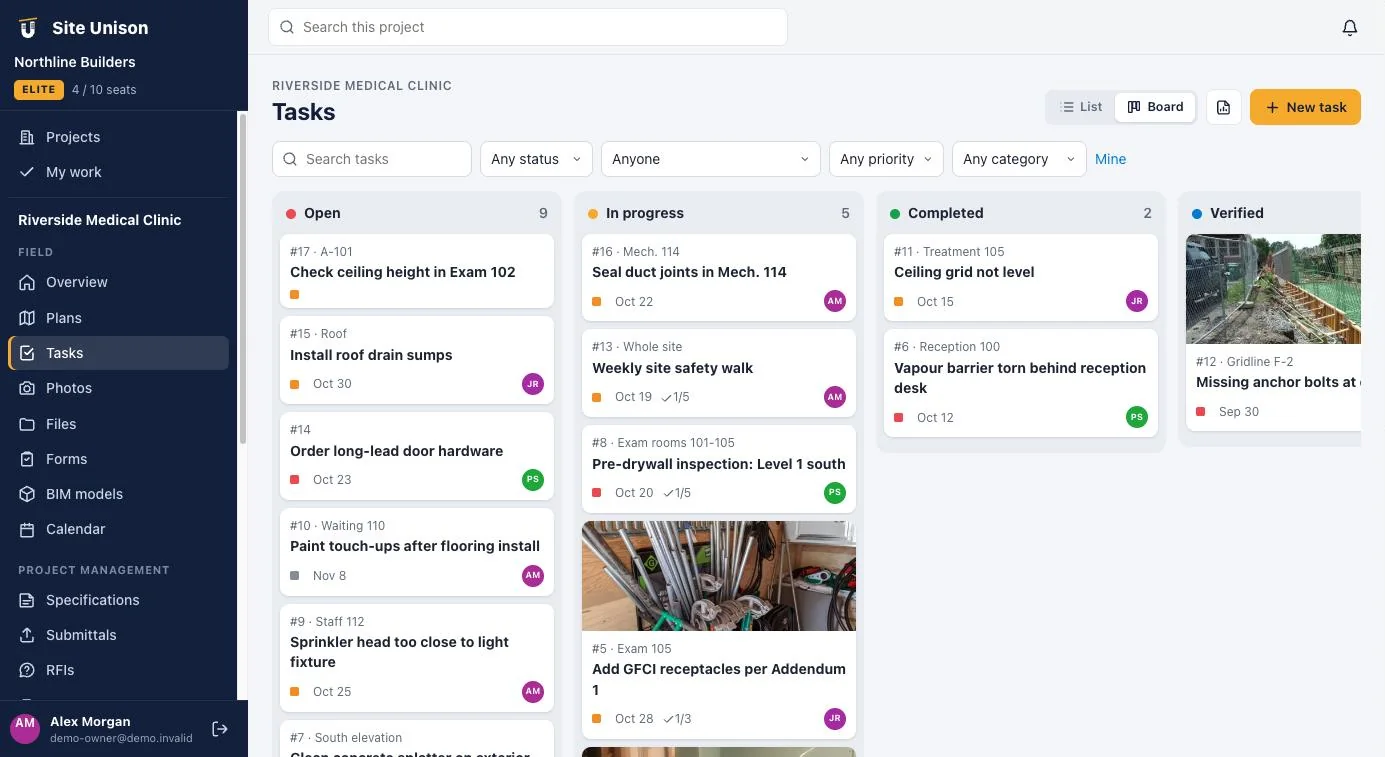
Punch lists everyone can see
Tasks with assignees, due dates, checklists and photos, on a list or a board. Superintendents close them from the phone; the office sees it instantly.
- Board and list views
- Checklists, photos and comments
- Custom statuses and fields
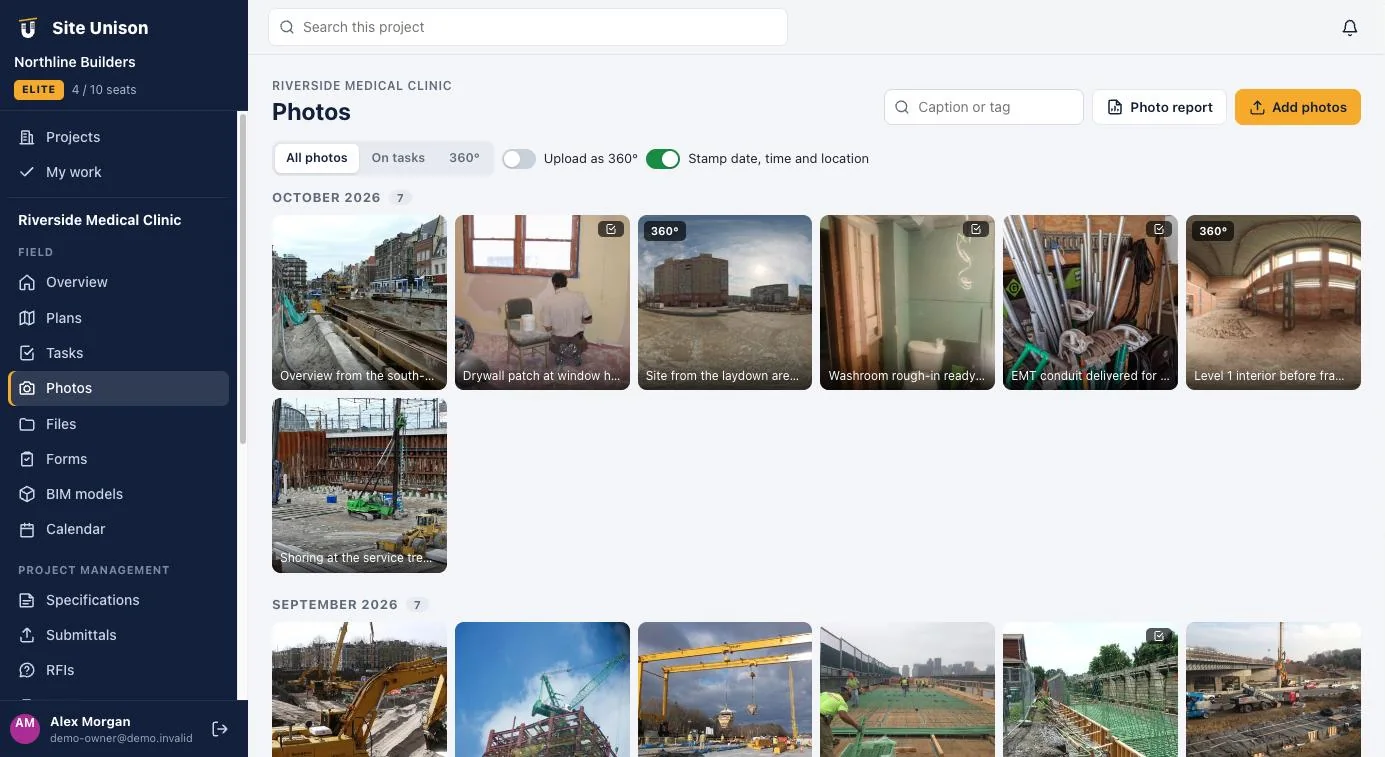
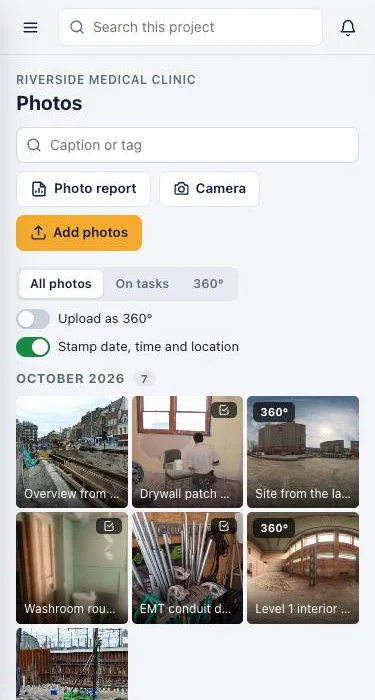
Every photo in its place
Snap from the phone and photos land on the right project, task and plan location, stamped with the date, time and GPS. Walk the site later in 360°.
- Grouped by month
- Date, time and GPS stamps
- 360° photos you can look around
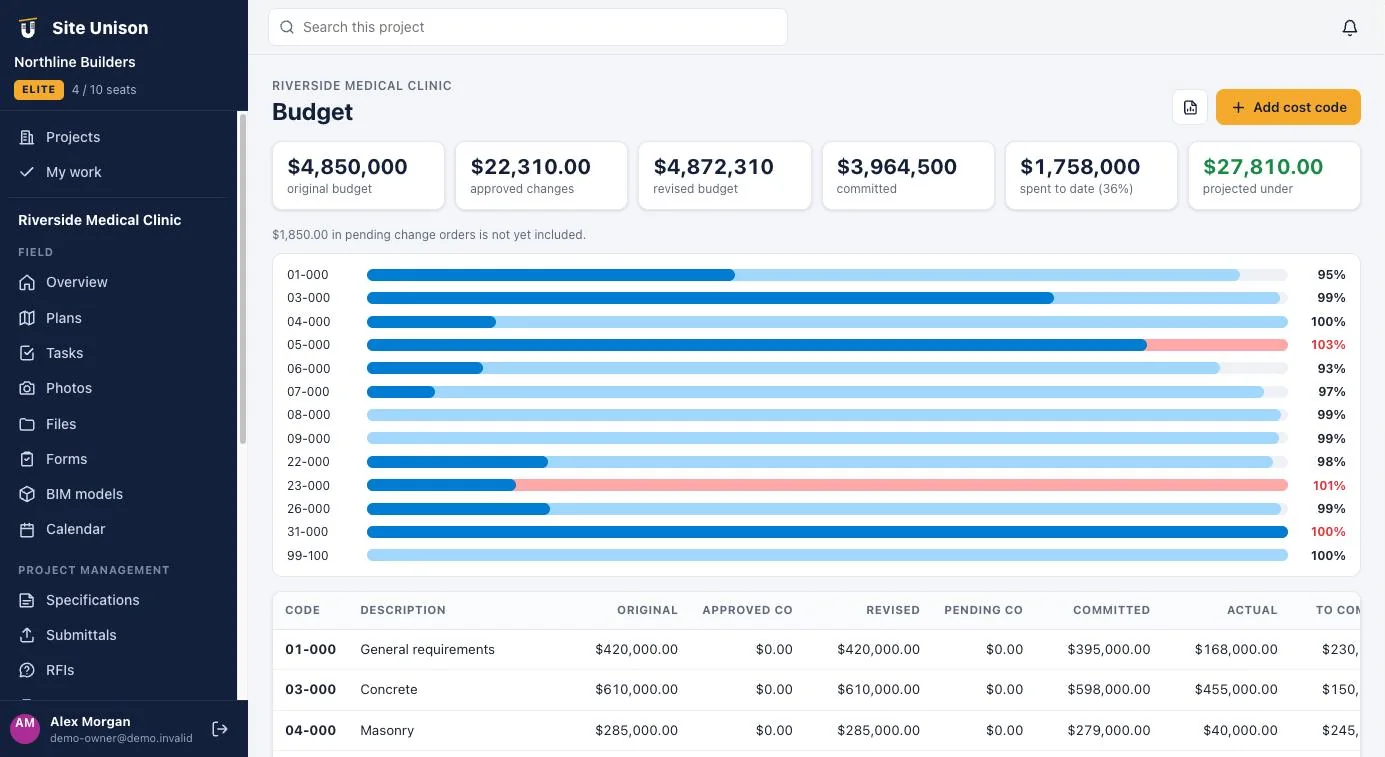
Know where the money is
A cost-code budget that rolls up approved change orders, commitments and actual costs, and shows the variance before it becomes a surprise.
- Change orders with approvals
- Committed vs actual by cost code
- RFIs and submittals in the same place
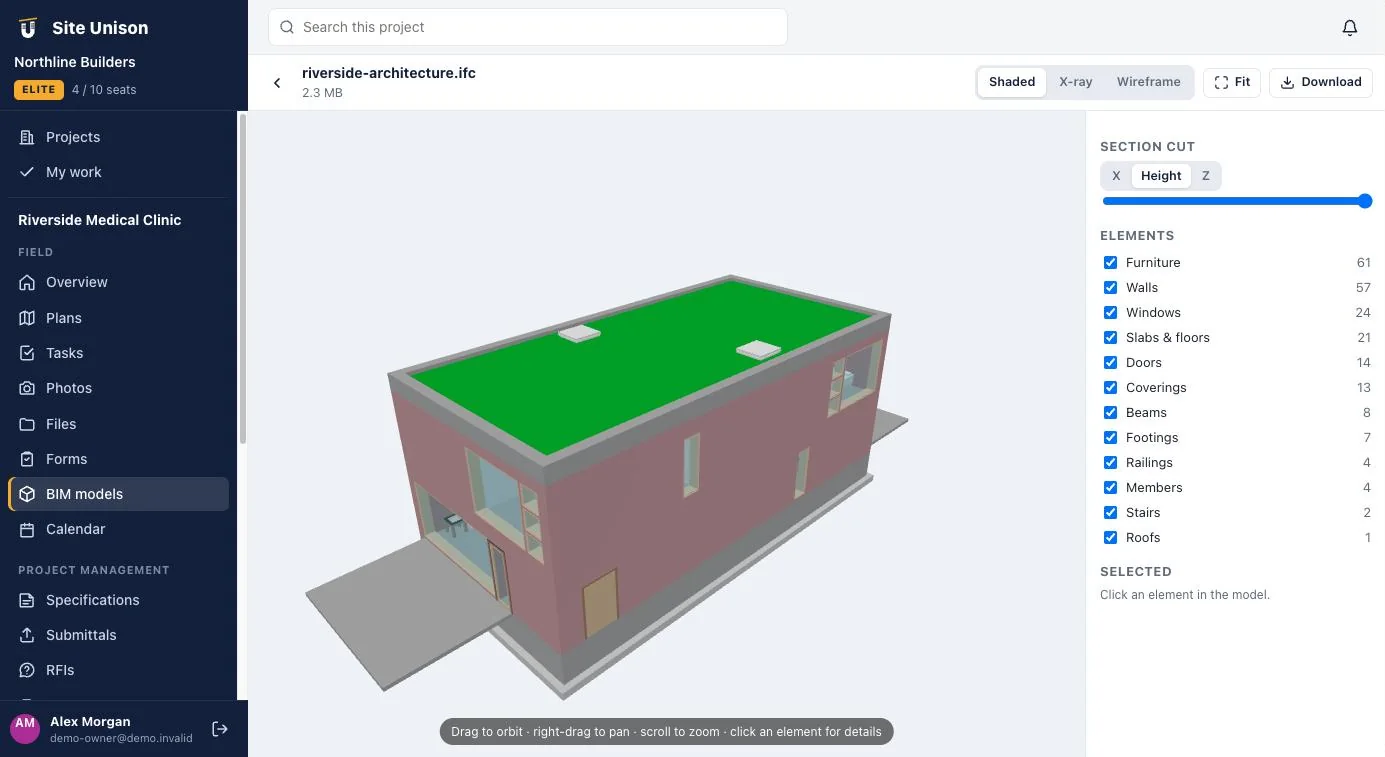
3D models in the browser
Open IFC, glTF and OBJ models without extra software. Cut sections, hide categories and click any element to see its properties.
- Section cuts on any axis
- Element counts by category
- Nothing to install
Simple per-seat pricing
Start free. Grow when you’re ready.
View-only guests never use a seat. Paid plans are billed per seat; cancel any time.
Free
$0forever
For small crews getting organised
- Plan viewing
- Task management
- Files
- Photos
- Specifications
- Email support
- Templates
- Activity feed and notifications
- Free view-only guests
- Full project export
Pro
$39per seat / month
Everything in Free, plus
- Reports and exports
- Sheet compare
- Photo metadata stamps
- Custom task statuses
- Plan markups
- Calendar and look-ahead
- Submittal extractor
Elite
$79per seat / month
Everything in Pro, plus
- Custom task fields
- Custom forms
- 360° photos
- BIM viewer
- Submittal management
- RFIs
- Change orders
- Budget
Ready to run your next job in unison?
Start free in a minute with no credit card, or sign up for Pro or Elite and pay right away. Either way, your own sample project is one click away.